
Business WiFi that holds a signal in every corner of the building
Most bad WiFi is not a hardware problem. It is a placement problem, a cabling problem, or a gateway that was never sized for the number of devices actually on it. We survey the building first, then design a UniFi network around how the space is really used.
What a proper WiFi install actually involves
A mesh kit from a big-box store works fine in an 1,800 square foot house with drywall. It falls apart in a metal building, a multi-floor office, a restaurant at dinner rush, or anywhere with more than a few dozen devices competing for airtime.
The difference is design. Access points get placed against a coverage plan instead of wherever there happens to be a ceiling tile. The gateway gets sized for the real device count. Traffic gets segmented so guest phones are not sharing a network with your cameras and point of sale. And every access point gets a proper cable run, because wireless performance is decided by the wire behind it.
Survey and coverage plan
Nothing gets quoted until we know what the building actually does to a signal.
- Walk-through with RF measurement
- Access point count and placement plan
- Dead zones and interference identified
- Written coverage map you keep
Gateway and routing
Sized to your device count and your internet speed, not to whatever is on the shelf.
- UniFi Cloud Gateway sized to the load
- Firewall rules and VPN for remote staff
- Failover options for a second internet line
- DHCP, DNS, and static assignments documented
Switching backbone
PoE switching with room to grow instead of a fully loaded switch on day one.
- Switches sized for cameras, phones, and access points
- Rack mount or wall mount to suit the space
- Labeled ports that match the patch panel
- SFP+ uplinks where distance calls for fiber
Segmentation and access
Guest laptops and payment terminals should not share a network.
- Separate VLANs for staff, guests, cameras, and POS
- Guest portal with your branding and terms
- Device isolation between segments
- Point-to-point links between buildings
What we install
- Access points
- Indoor ceiling and wall models, outdoor and mesh units, high-density units for large rooms, and in-wall units for hotels and multi-tenant buildings.
- Gateways
- UniFi Cloud Gateway and Dream Machine family, sized to device count and internet speed.
- Switching
- PoE and non-PoE, 8 through 48 port, aggregation switches and SFP+ uplinks where the run distance calls for fiber.
- Building-to-building
- airMAX and UniFi Building Bridge point-to-point links for shops, outbuildings, and second locations on the same property.
- Cabling
- Cat6 and Cat6a to every access point, tested and labeled.
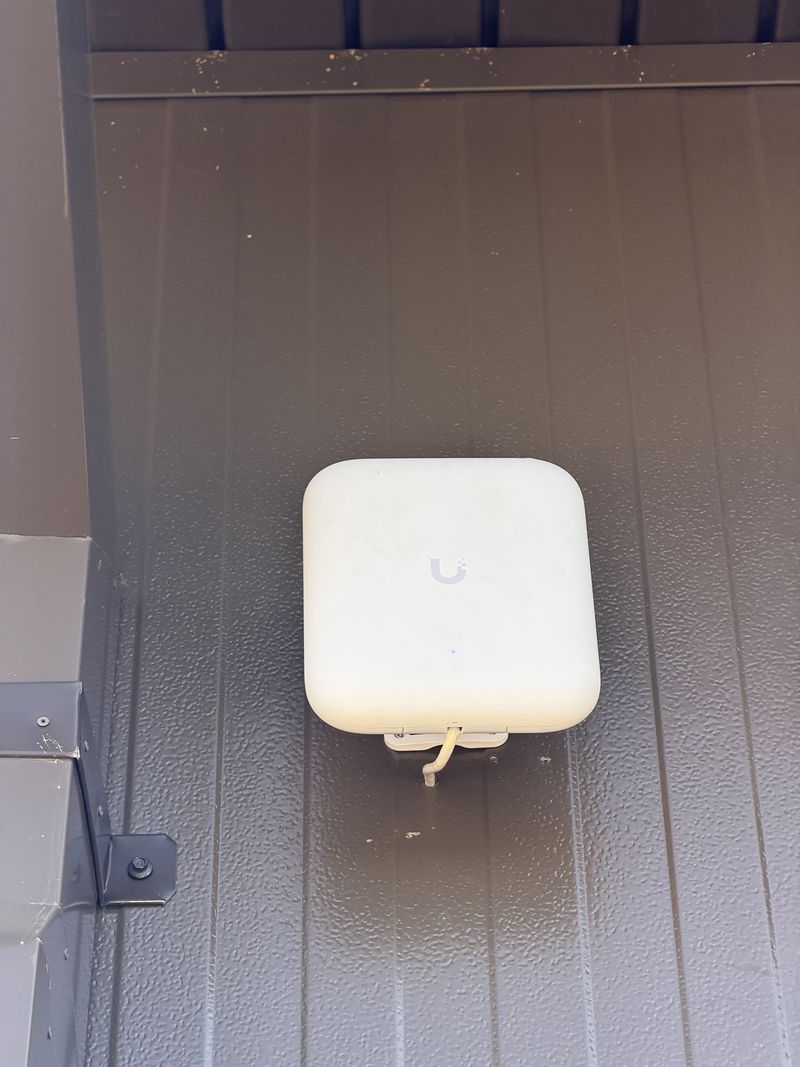
The Journey Home, Murfreesboro
A security assessment, then a full UniFi rebuild: Dream Machine Pro Max, Pro switches, access points inside and a U7 Pro Outdoor covering the grounds.
From walkthrough to fully managed
Site survey
We walk the building, look at what is there, and ask what has actually been failing you. No charge and no obligation.
Design & fixed quote
A diagram, an equipment list, and one number. You see what you are buying and why it costs what it costs.
Clean installation
Structured cabling, labeled terminations, tidy racks, and cutover scheduled around your business hours.
Handoff & support
We train your team, hand over documentation you own, and monitor the system if you want us to.
Before you call
How many access points do I actually need?
It depends on construction and device count more than square footage. A 10,000 square foot open warehouse might need four. A 6,000 square foot medical office with block walls and lead-lined rooms might need eight. That is exactly what the site survey answers, and it is free.
Will this work in a metal building?
Yes, with the right design. Metal walls and racking reflect signal badly, so placement and antenna choice matter more than in a drywall building. We have done shops, warehouses, and equipment yards across Middle Tennessee, and the survey accounts for the structure before anything gets quoted.
Can you fix a mesh system that never worked right?
Usually. We will audit what is there, document it, and tell you honestly whether it can be corrected with better placement and cabling or whether the hardware was the wrong choice to begin with. We do not automatically recommend replacing everything.
Do I have to give up my current internet provider?
No. Your internet service stays exactly as it is. We replace the equipment inside the building, not the line coming into it. In most cases we put the provider's router into bridge mode and let the UniFi gateway handle routing and firewall.
Are there monthly fees for the WiFi management software?
No. UniFi network management is included with the hardware. You own the equipment and the controller. The only recurring cost is your internet service, plus a support plan with us if you want one.
Who keeps it updated after the install?
You can run it yourself with the logins we hand over, or add a managed service plan: we monitor it, install firmware and security updates, and make routine changes for you. Plans are month to month and start at $99 a month; see managed service plans.
Let us walk your building
Tell us what is not working. We will survey the site and send you a straight quote, and if it is not something we can help with we will tell you that instead.
Black Pearl Automation LLC is an independent installer and integrator. UniFi, UISP, and Ubiquiti are trademarks of Ubiquiti Inc. We are not affiliated with or endorsed by Ubiquiti Inc.